This article is about the customer app.
Choose where you search from
Pick a saved place, use your current location, or find an address.
Checked against the app on 2026-11-12.
The app finds businesses near a place. You choose that place.
Steps
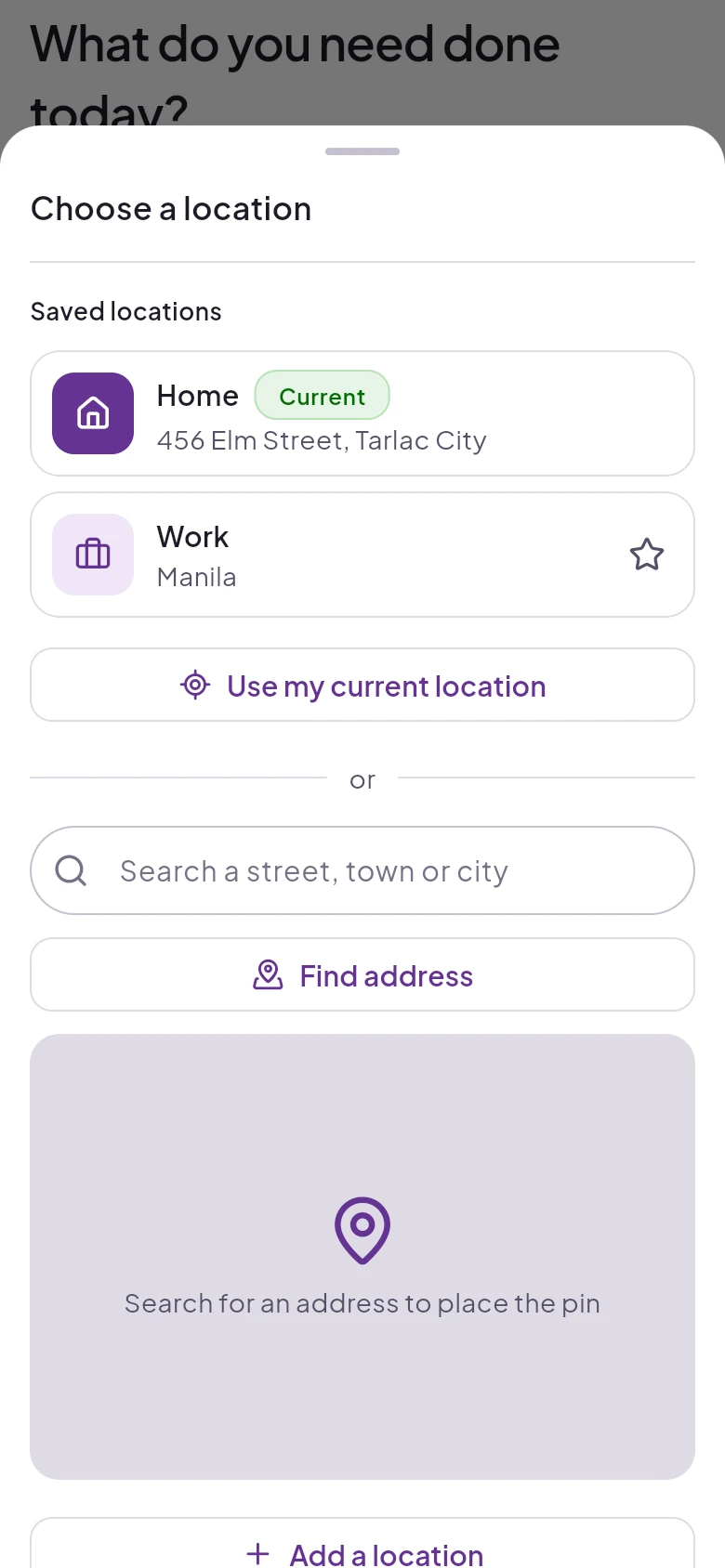
- On the home screen, tap the location bar near the top. The sheet “Choose a location” opens.
- Pick one:
- Tap a place under “Saved locations”, for example Home or Work.
- Tap “Use my current location”. Your phone may ask if the app can use your location.
- Type an address and choose “Find address”.
- The home screen and the search now use that place.
Add a new place
Tap “Add a location” to save a new place. See Save your places.
Common problems
- The app says your phone did not share a location. Search for an address instead, or allow location for the app in your phone settings.
- The home screen asks for a location. Share your location or pick one, then it can show what is near.