This article is about the customer app.
Book a visit in four steps
Choose services, a professional and a time, then confirm.
Checked against the app on 2026-11-12.
You book in the customer app, in four steps. The app shows the steps at the top of the screen.
Before you start
You need an account, and your email must be confirmed. See Create your BOOKniNAM account.
Steps
-
Services. The first step is “Step 1 of 4: Services”. Tap the services you want. The bar at the bottom adds up how many you picked, how long they take and the price. Tap “Continue”.
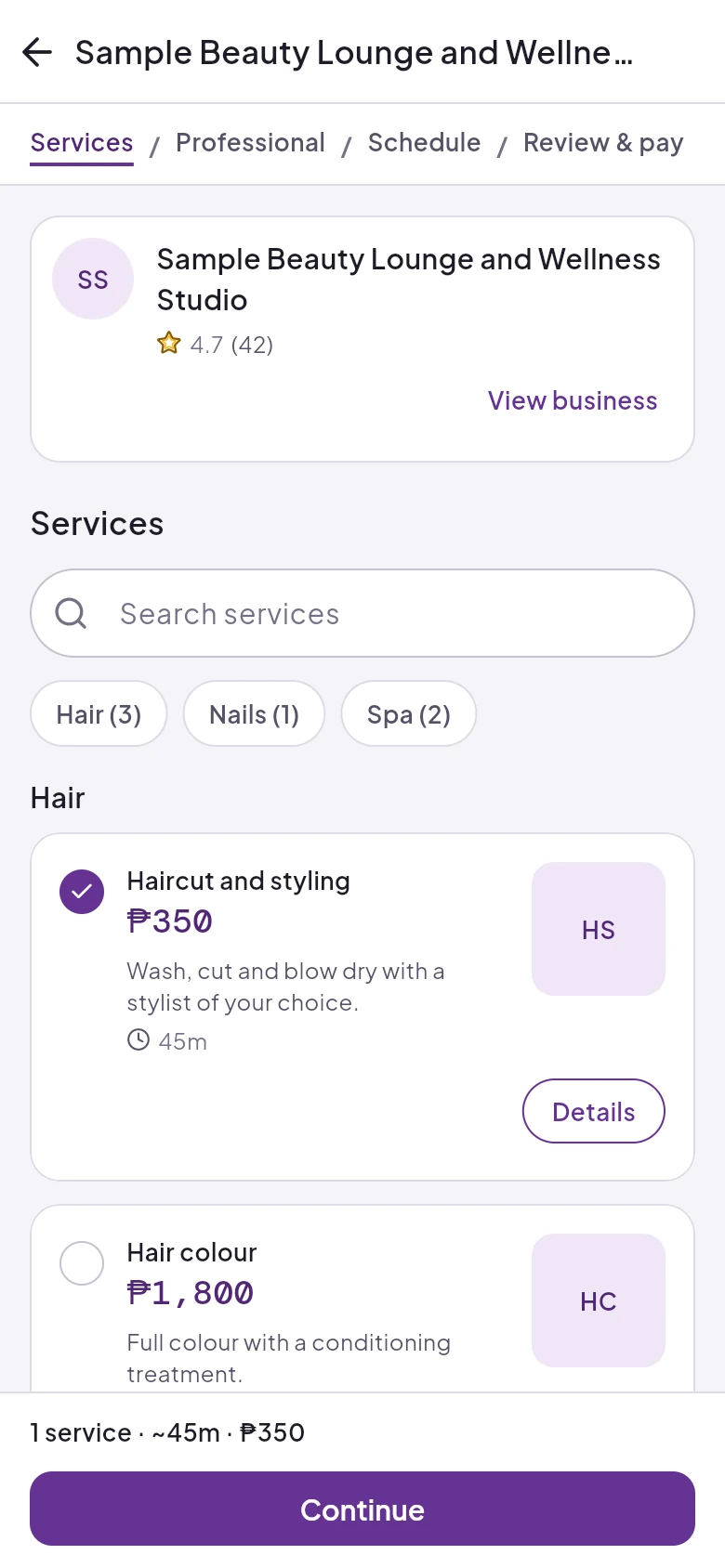
Step 1, choose your services -
Professional. The second step is “Step 2 of 4: Professional”. Pick “Any available” if you do not mind who does it, or pick a named person. Tap “Continue”.
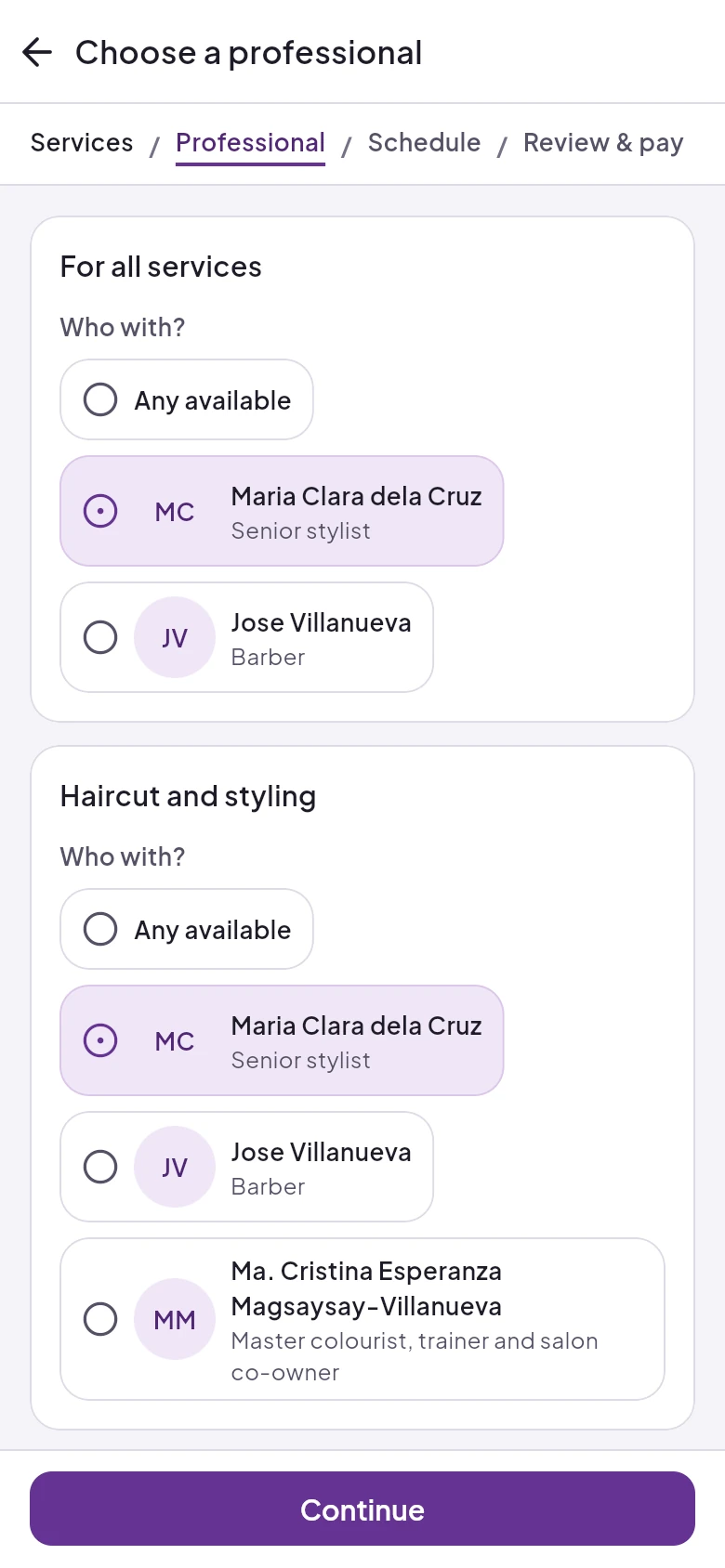
Step 2, choose a professional -
Schedule. The third step is “Step 3 of 4: Schedule”. Pick a day, then pick a time. If you chose two services, pick a time for each one. Tap “Continue”.
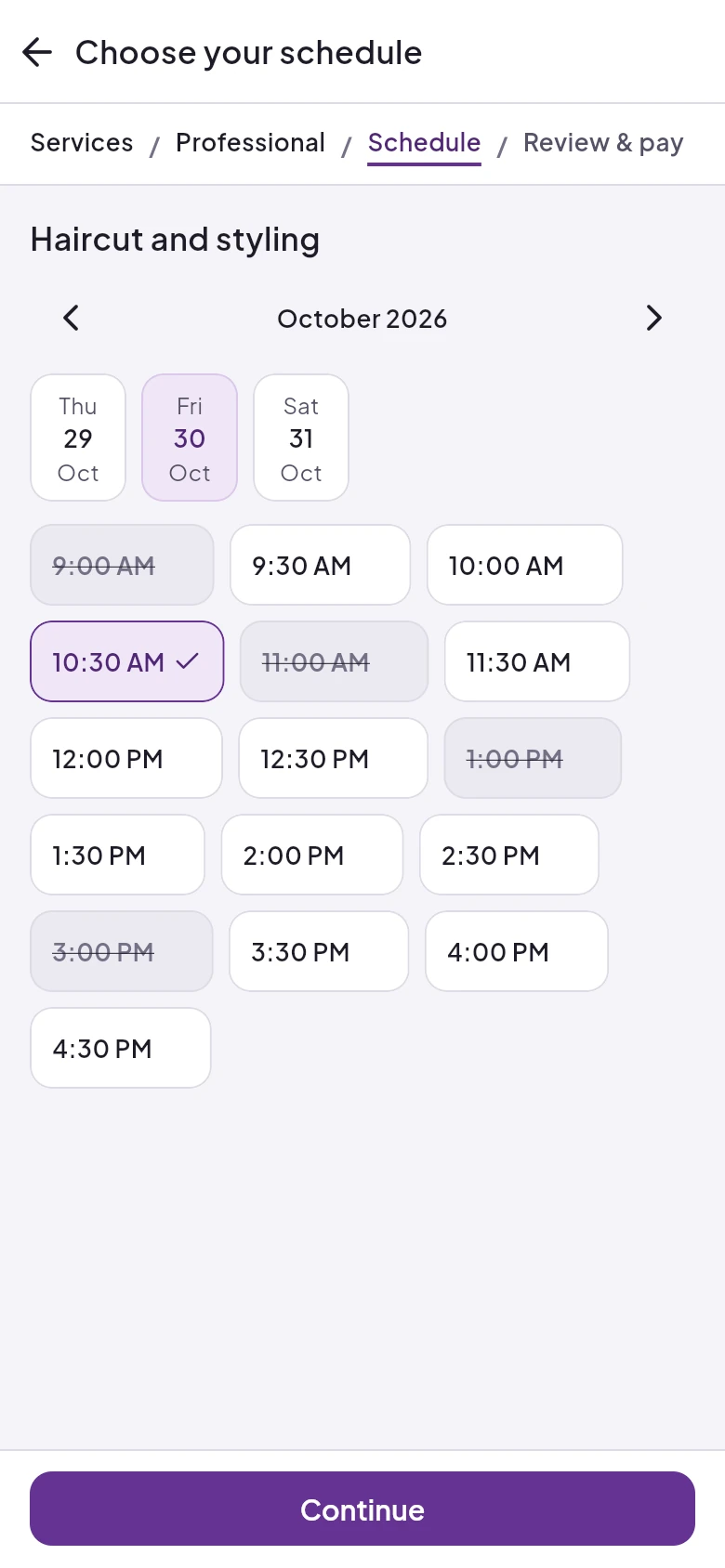
Step 3, pick a day and a time -
Review & pay. The last step is “Step 4 of 4: Review & pay”. Check everything, then confirm. See Review your booking and pay at the counter.
Good to know
- Who can do the job. When you pick several services, the list for all of them only shows people who can do every one. Someone who can do only some of the services can still be picked for those services on their own.
- Times close to now. The app only lets you pick a time that starts at least 30 minutes from now.
- Two services. The app blocks a time that overlaps your other service. It tells you which service it clashes with. One service can start at the moment the other ends.
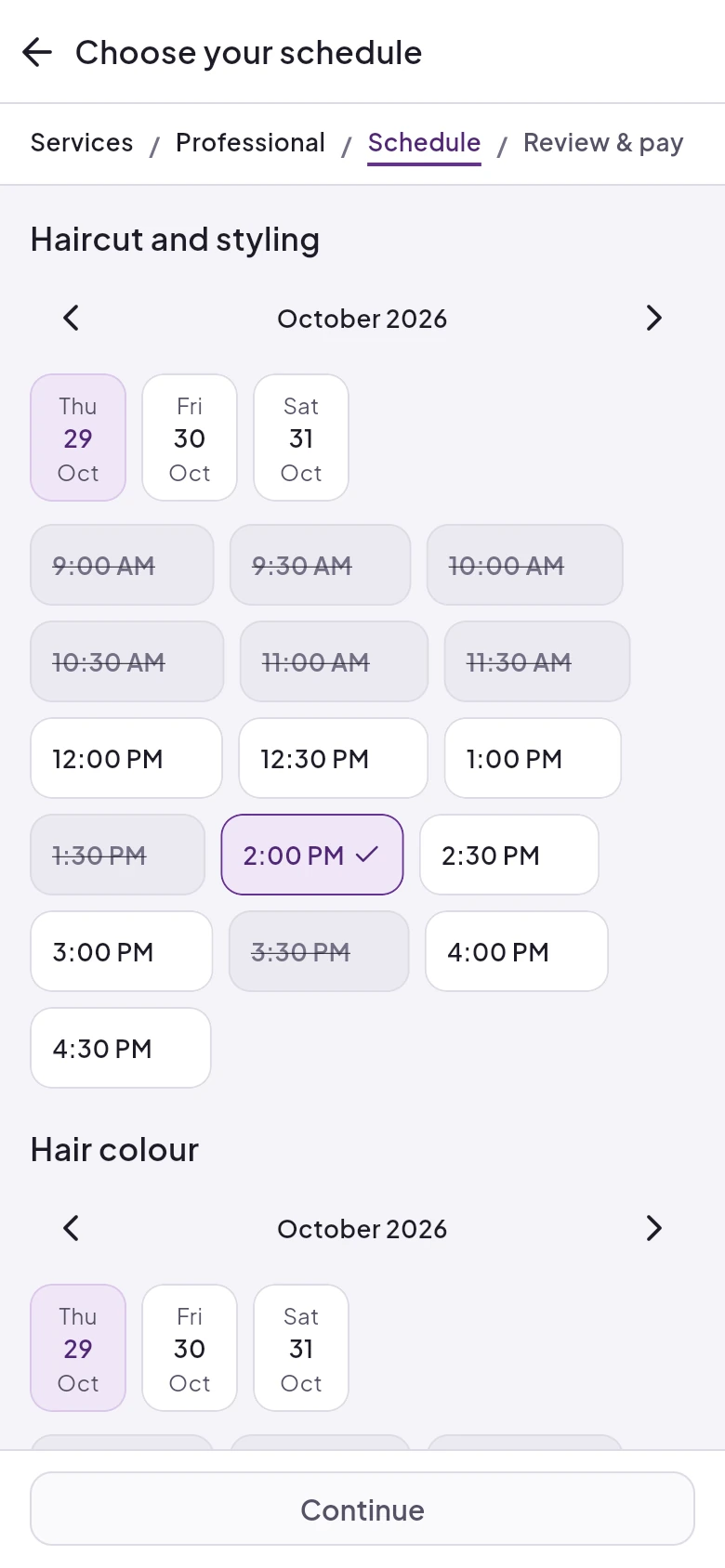
- You cannot skip ahead. The app will not open the review step until every service has a time.