This article is about the customer app.
Look at a business before you book
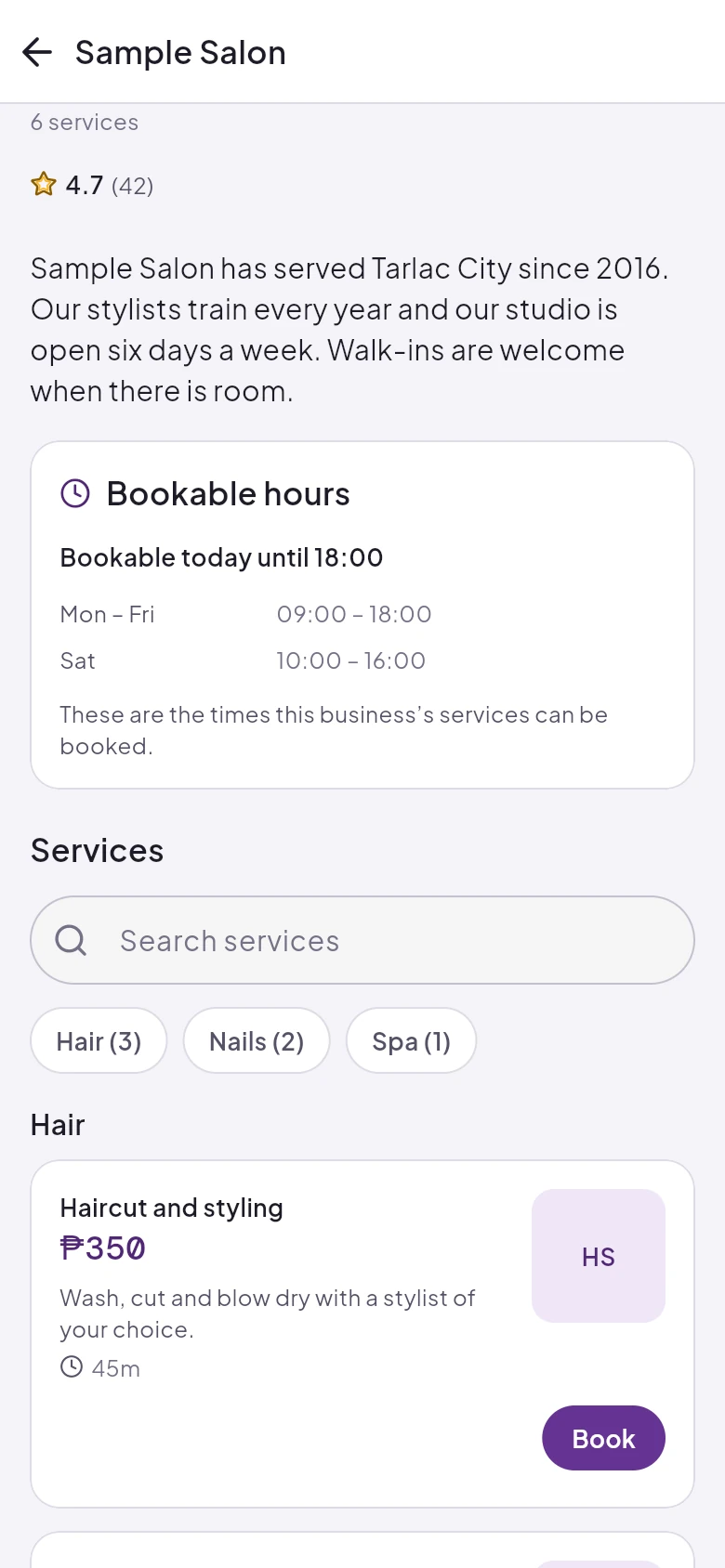
See opening hours, services, prices, photos and reviews on a business page.
Checked against the app on 2026-11-12.
A business page tells you what to expect before you pick a time.
What you see
- The business name, and a Verified mark when the business has one.
- The opening hours, and the address.
- The services, in groups such as Hair or Nails. Each service shows its price and how long it takes.
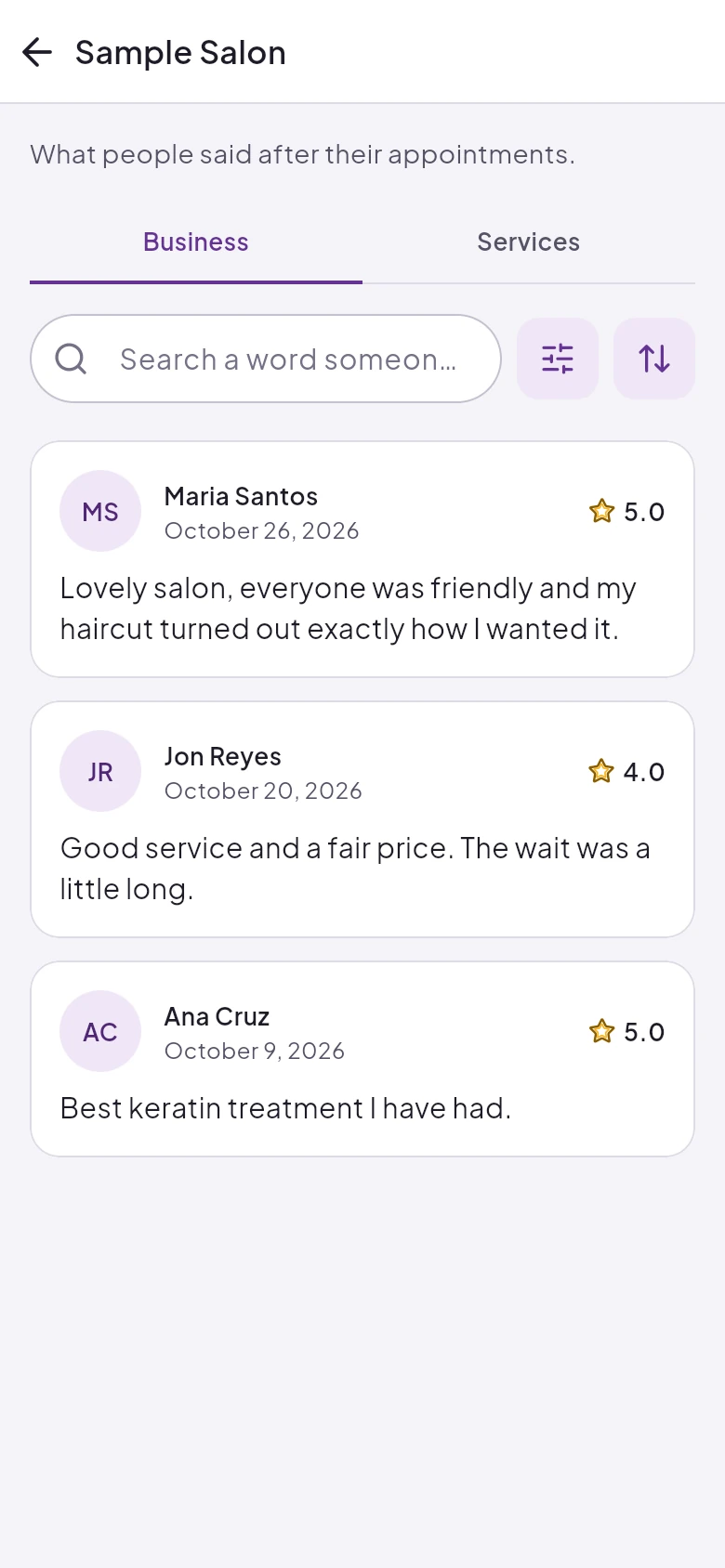
- A link to reviews from other customers.
Steps
- Tap a business in the search results to open its page.
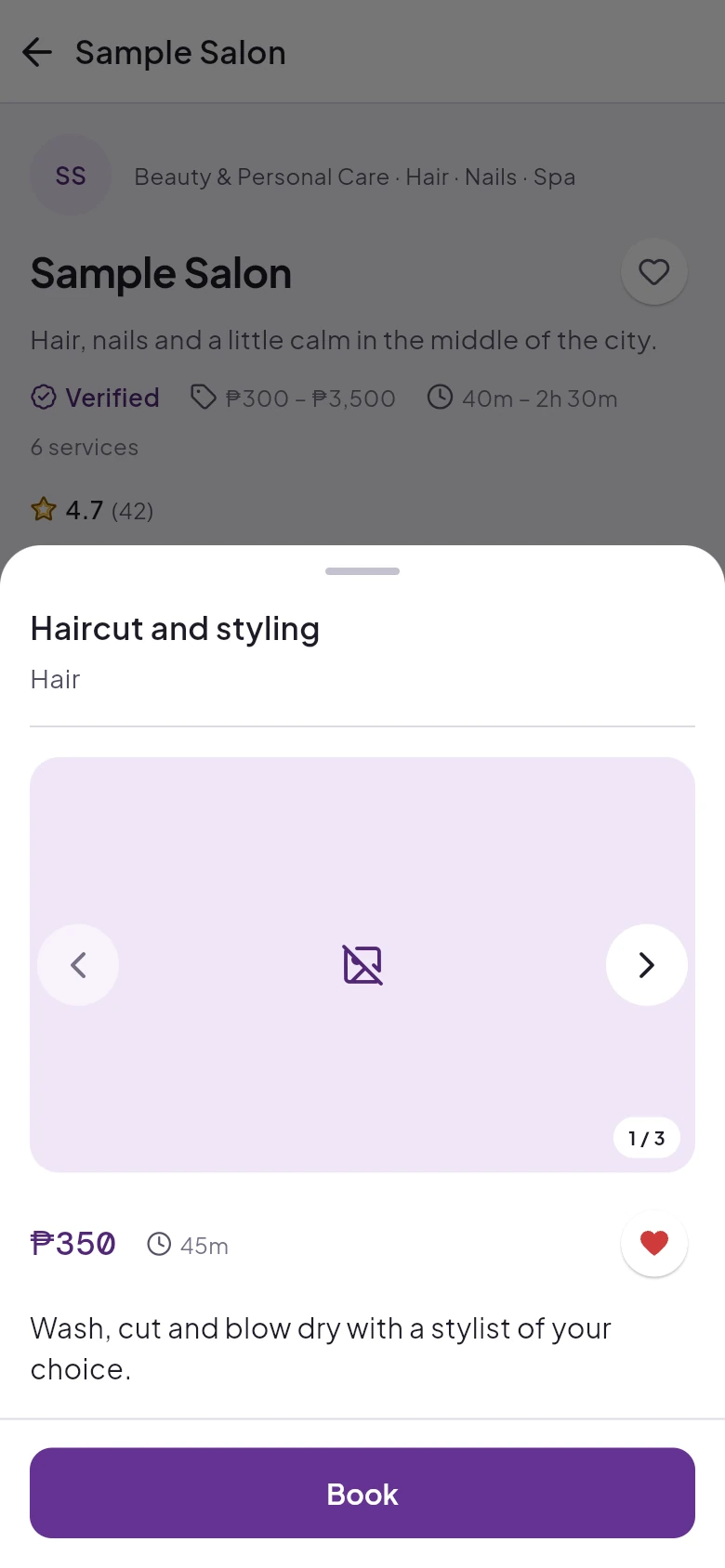
- Scroll to the services. Tap a service to open its details.
- In the details you can look through the photos with “Previous photo” and “Next photo”.
- Tap “Book” when you want to book that service. See Book a visit.
- Tap “Back” to return to the list.
Read the reviews
Open the reviews to read what people said after their appointments. You can put the newest, the oldest, the highest rated or the lowest rated first.
If there is nothing to book
A business that has not listed any services shows a message that there is nothing to book yet. Come back later, or pick another business.