This article is about the customer app.
Delete your account
What happens to your bookings and details when you delete your account.
Checked against the app on 2026-11-12.
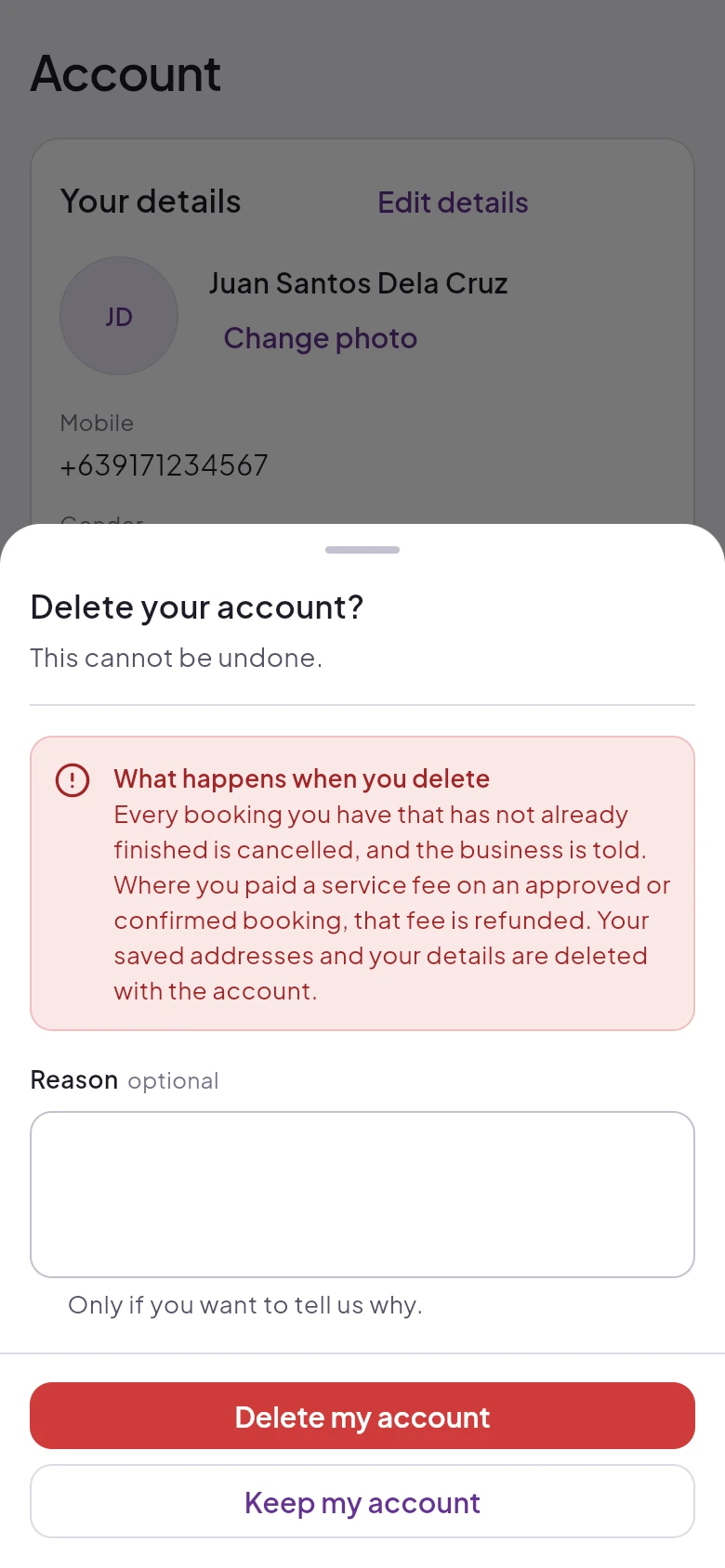
You can delete your account from the app. This cannot be undone.
What happens
- Every booking that is not finished is cancelled, and the business is told.
- Your saved addresses and your details are deleted with the account.
- If you paid money for a booking, the refund follows the same 24 hour rule as cancelling: a paid booking that starts 24 hours or more away is refunded in full. For a booking you never paid, there is nothing to refund.
- Bookings that are already done stay as history.
Steps
- Open the Account tab and tap “Delete account”.
- The sheet says “This cannot be undone.” and lists what happens.
- You can write a “Reason”. It is optional.
- Tap “Delete my account”. To stay, tap “Keep my account”.
After the account is deleted, the app signs you out.
Before you delete
Think about Cancel a booking for any booking you still want to handle yourself, so you can give the business your own reason.