This article is about the customer app.
What each booking status means
The words on your bookings, from On hold to Done, in plain language.
Checked against the app on 2026-11-12.
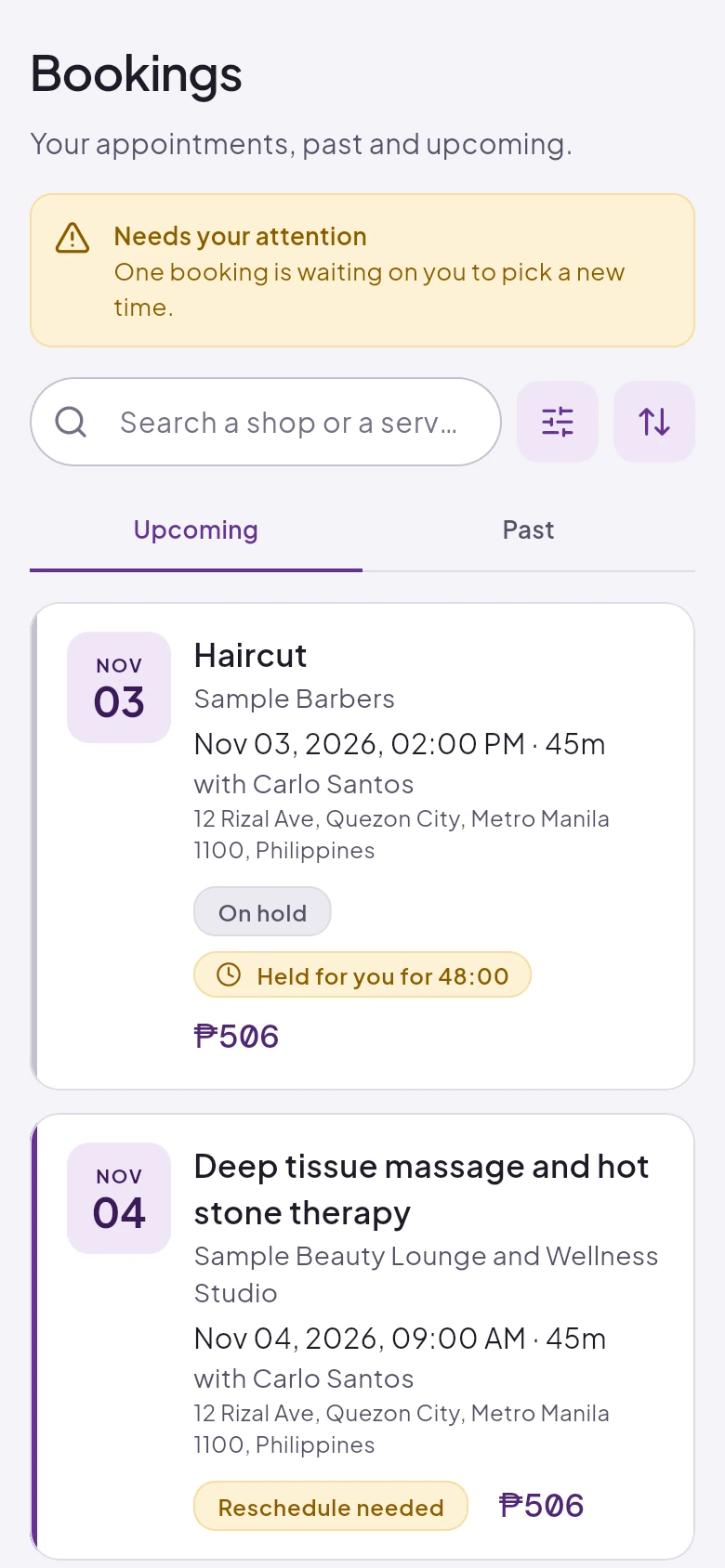
Every booking has a status. The app shows it on the booking and in your list.
The statuses
- “On hold”. Your time is set aside while you finish booking. See What “on hold” means.
- “Waiting for the business”. You confirmed. The business has not answered yet.
- “Approved” or “Confirmed”. The business said yes. Your booking is set.
- “Reschedule needed”. The business asked you to pick a new time. See When the business asks you to move a booking.
- “Done”. The visit is finished.
- “No-show”. The business marked that you did not come. A business can only do this after the booking has ended.
- “Declined”. The business said no. Look for a note from the business on the booking.
- “Cancelled by you”. You cancelled it.
- “Cancelled by the business”. The business cancelled it.
- “Expired”. A held time ran out before the booking was confirmed.
- “Business did not respond”. The business did not answer before the start time, so the booking was cancelled.
Payment words
A booking can also show Payment pending, Paid or Refunded. For a booking you pay at the counter, it shows Payment pending until the business records that you paid.