This article is about the customer app.
What "on hold" means
Your time is set aside for you for a short while. Finish the booking before it runs out.
Checked against the app on 2026-11-12.
On hold means the app has set a time aside for you while you finish booking. Nobody else can take it while it is held.
Think of it like a seat saved at a cinema. The seat is yours for a short while. If you do not come back, it goes to someone else.
How long is it held?
The app shows a countdown in minutes and seconds. Your hold starts at 60 minutes. When the countdown reaches zero, the time is released and the booking becomes “Expired”.
Trust the countdown on your screen. It is the real clock for your hold.
Where do you see it?
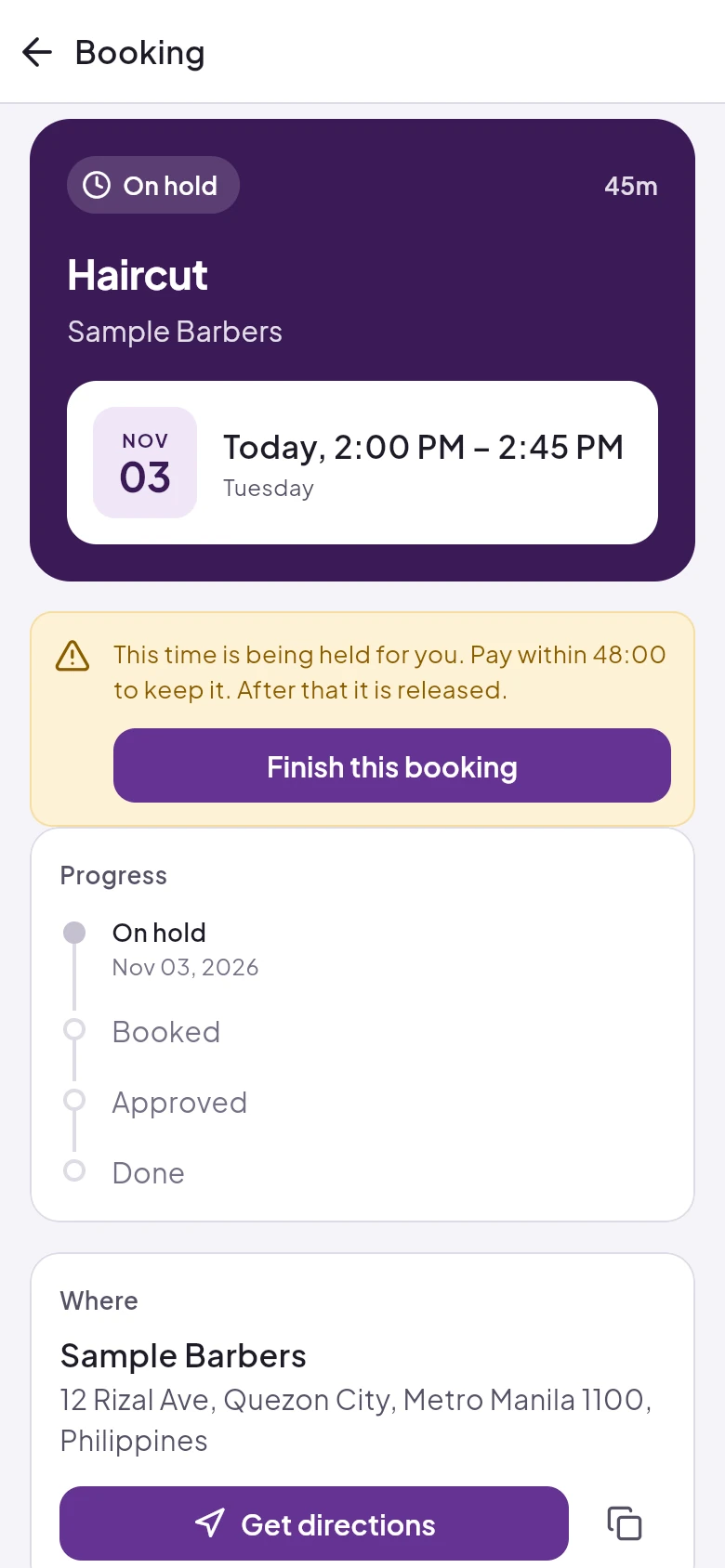
- On the Review & pay step, a timer shows how long your time is held.
- In your bookings, the booking shows “On hold”.
- When you open that booking, you see how long is left and a button called “Finish this booking”.
If you left the booking half done
When you open the same business again, the app can say that you already have a schedule held. It then offers two buttons:
- “Resume this visit” takes you back to where you were.
- “Start over” releases the held times so you can choose again.
If the time runs out
The time goes back to the business’s calendar. Start a new booking and pick a time again.