This article is about the customer app.
Open a booking and see its details
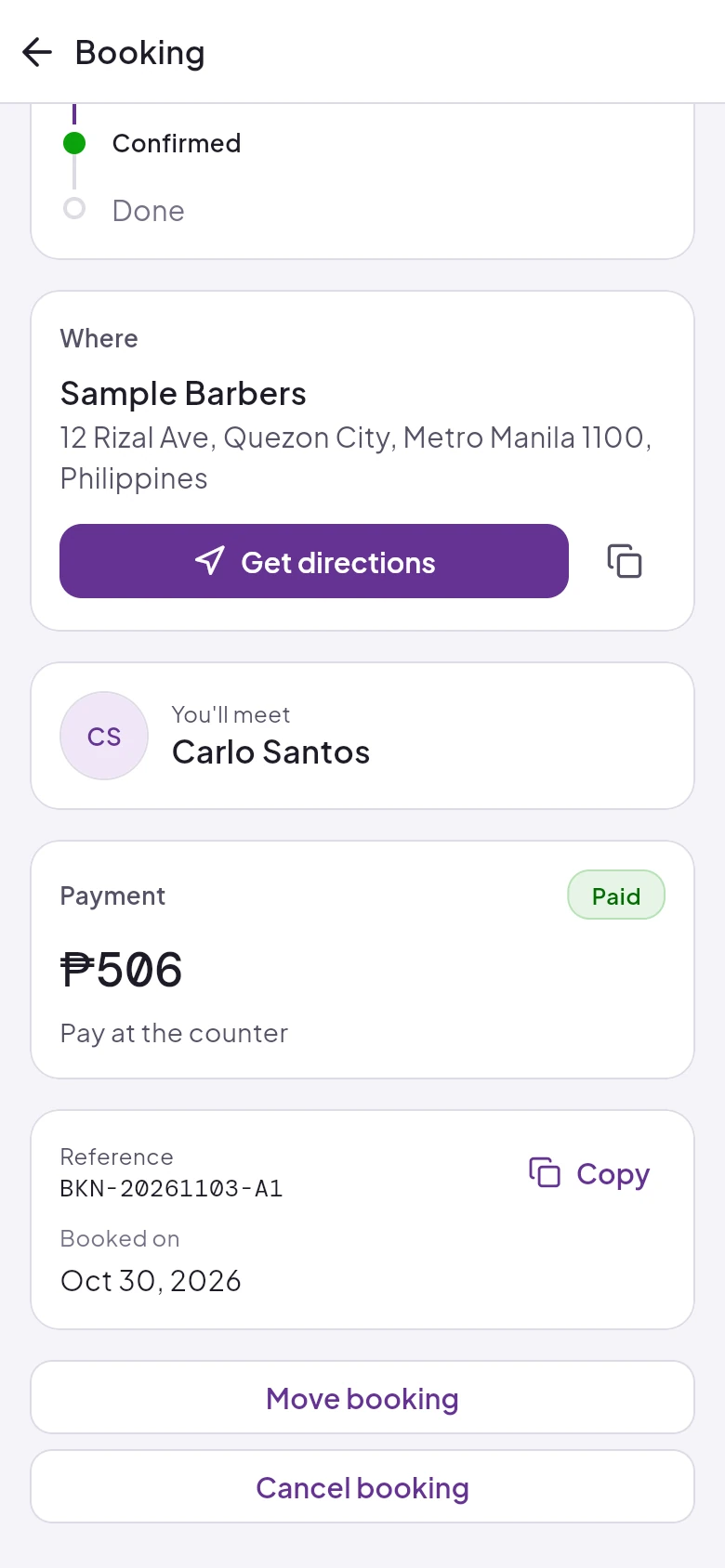
Status, time, address, who you will meet, payment and your reference code.
Checked against the app on 2026-11-12.
Tap a booking in your list to open it.
What you see
- Status. A badge at the top, and a progress card that goes from Requested to Booked to Approved to Done. If a booking was moved, the card lists who moved it, from which time to which time.
- The business and the address. Tap “Copy address” to copy it. Tap “Get directions” to open directions.
- Who you will meet. The professional, when there is one.
- Payment. The method, for example “Pay at the counter”, and whether payment is pending or paid.
- Reference. The code of your booking. Tap “Copy” to copy it. Give this code to the business if they ask.
- Notes. Your note, and a note from the business when they left one.
What you can do
Depending on the status, the bottom of the page offers “Move booking” and “Cancel booking”. See Move a booking and Cancel a booking.