This article is about the customer app.
Move a booking to a new time
When you can move a booking, how many times, and when the business must agree.
Checked against the app on 2026-11-12.
You can move a booking to another time, as long as it starts far enough away.
The rules
- How many times. A booking can be moved up to 3 times.
- How soon. A booking can be moved only when it starts 24 hours or more from now.
- When the business must agree. If the booking starts in less than 3 days, or the business has not answered it yet, your move is a request. Your new time is not confirmed until the business says yes. If the business already approved the booking and it starts 3 days or more away, the new time is set straight away.
- Your old time. It is given up straight away. Someone else may take it.
Steps
-
Open the booking. See Open a booking and see its details.
-
Tap “Move booking”. If the app does not offer it, one of the rules above stops you.
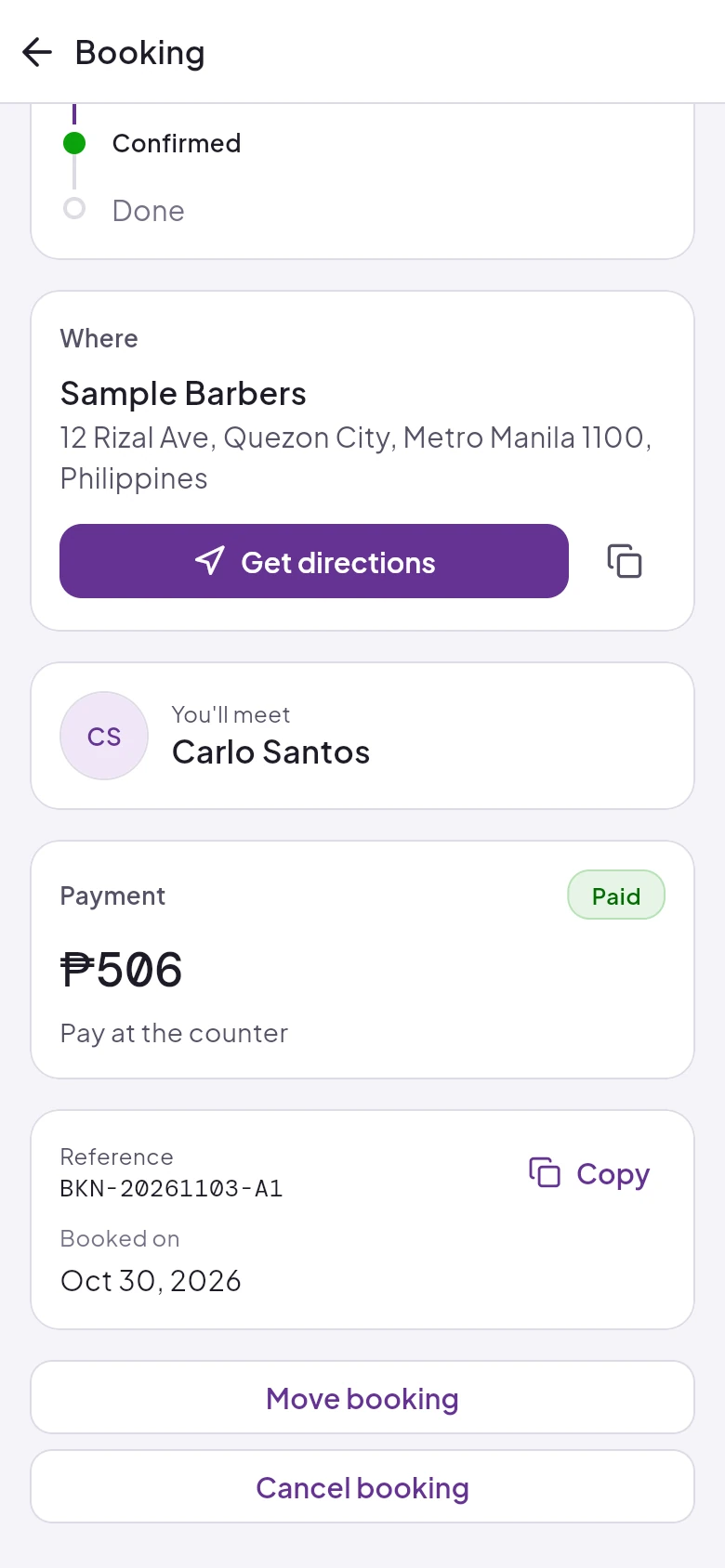
A booking with Move booking and Cancel booking -
The app says “Pick a new time for this service.” Choose a day and a time. You can tap “Not now” to stop.
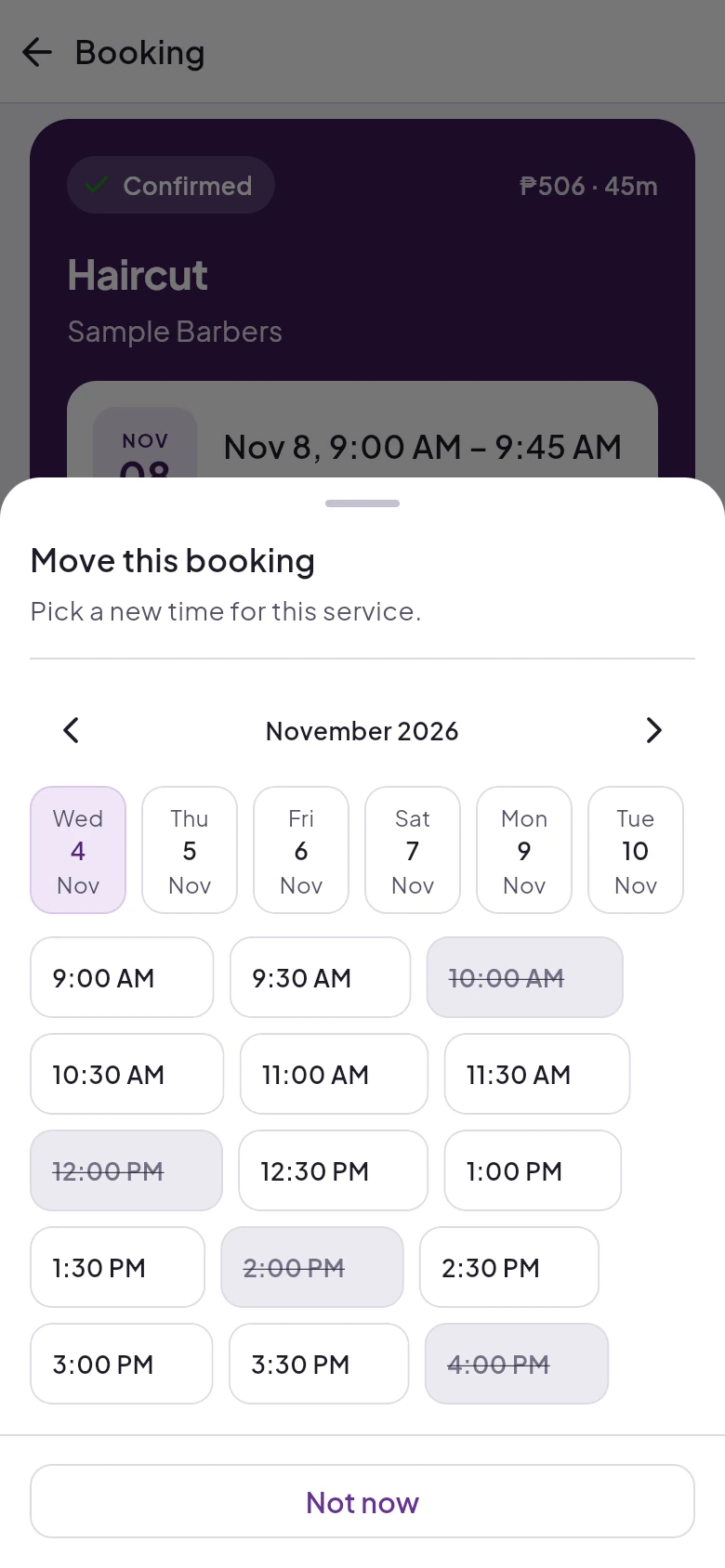
Choose the new day and time -
If the business must agree, the app tells you with “The business will need to approve this”.
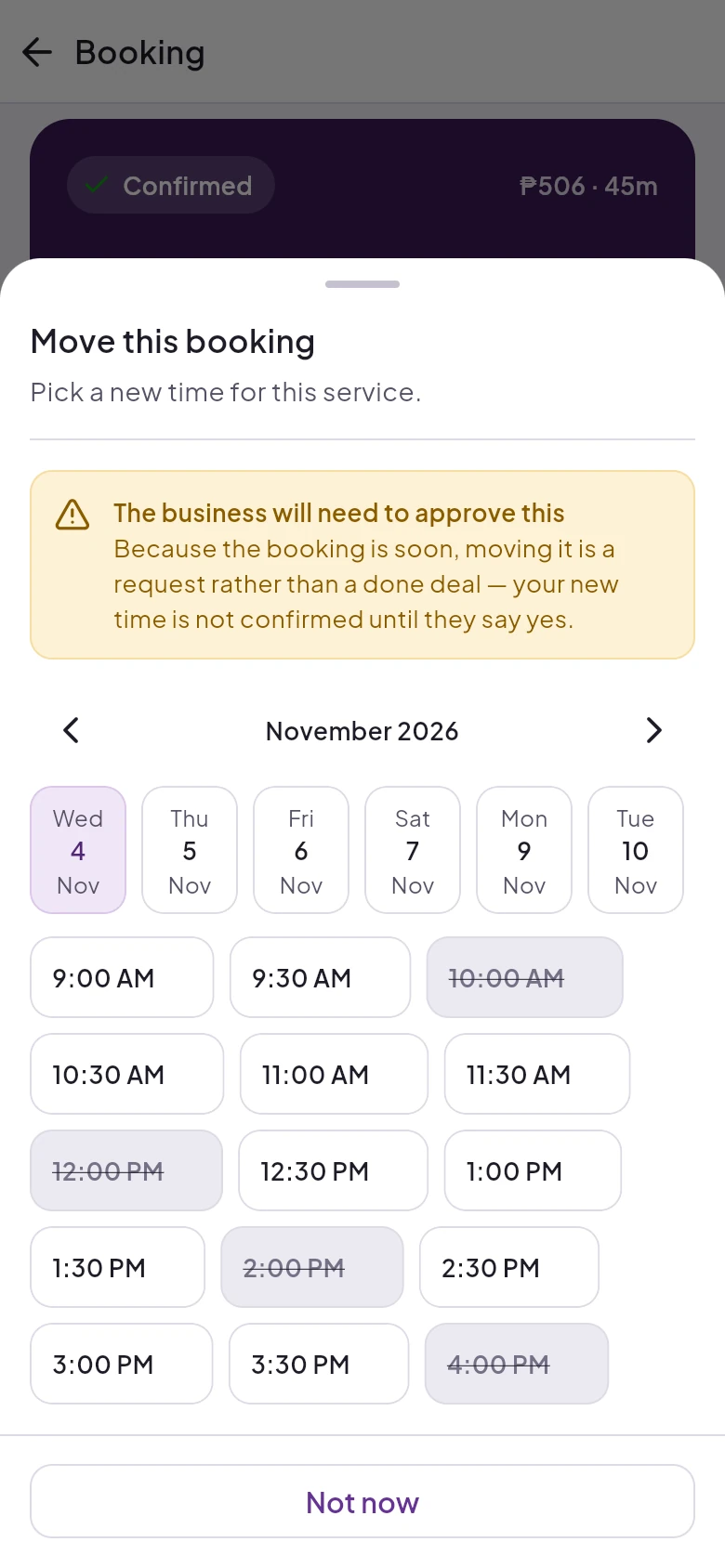
The business will need to approve this move -
The app says “Check this before it moves.” It shows “Now” and “New time” side by side. It also tells you how many moves you have left.
-
Tap “Move it” to move the booking. Tap “Pick another time” to choose again.
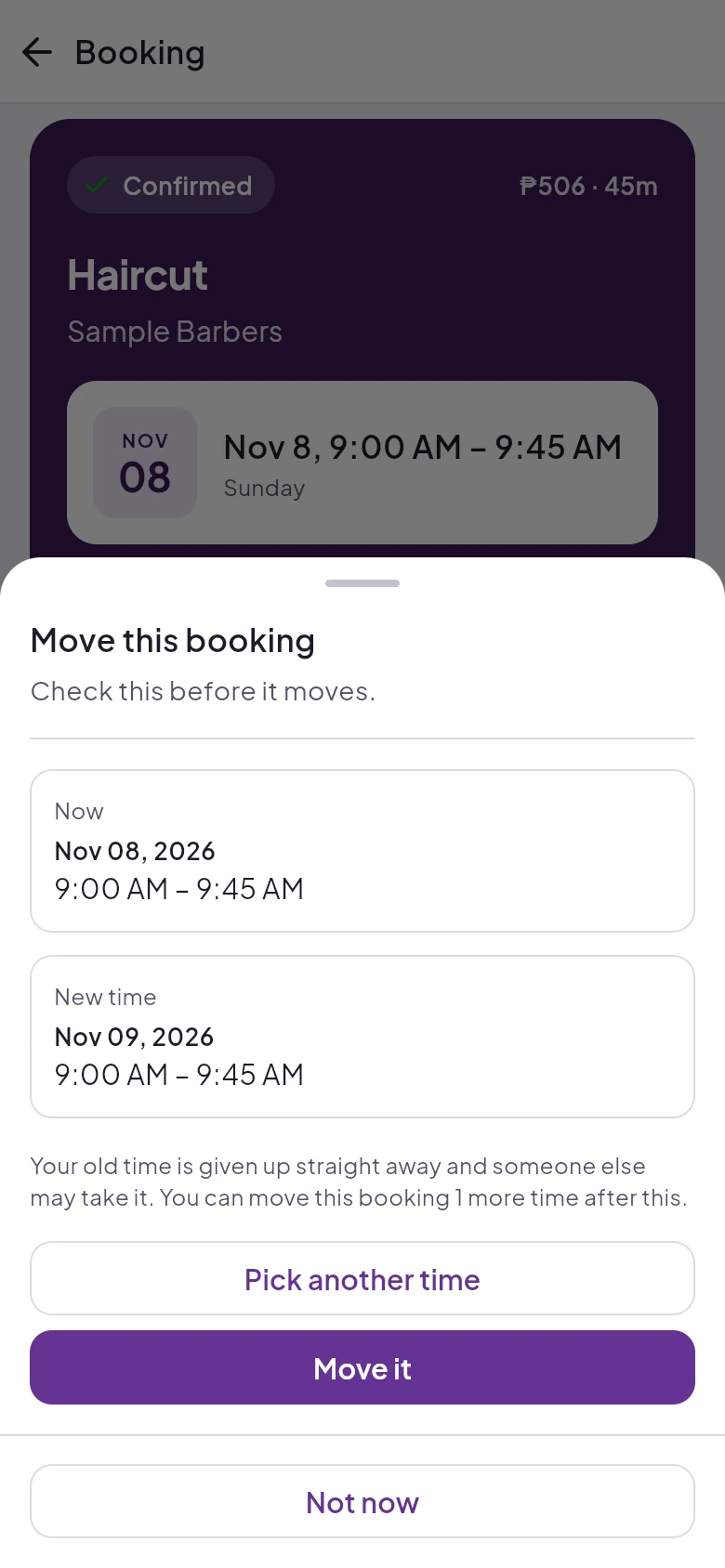
Check the old and the new time
Common problems
- There is no Move booking button. The booking may start in less than 24 hours, may already be moved 3 times, or may not be in a state that can be moved.
- The new time is not confirmed. It is a request. The business has to say yes. Watch the status of your booking.