This article is about the customer app.
Say who is attending
Name the people who come with you when a service takes more than one person.
Checked against the app on 2026-11-12.
Some services take more than one person at a time, such as a group class. For those, the app asks who is coming.
When does the app ask?
Only for a service that takes two or more people at a time. A service for one person has no guest list.
Steps
- On “Review & pay”, tap the button to add guests for that service.
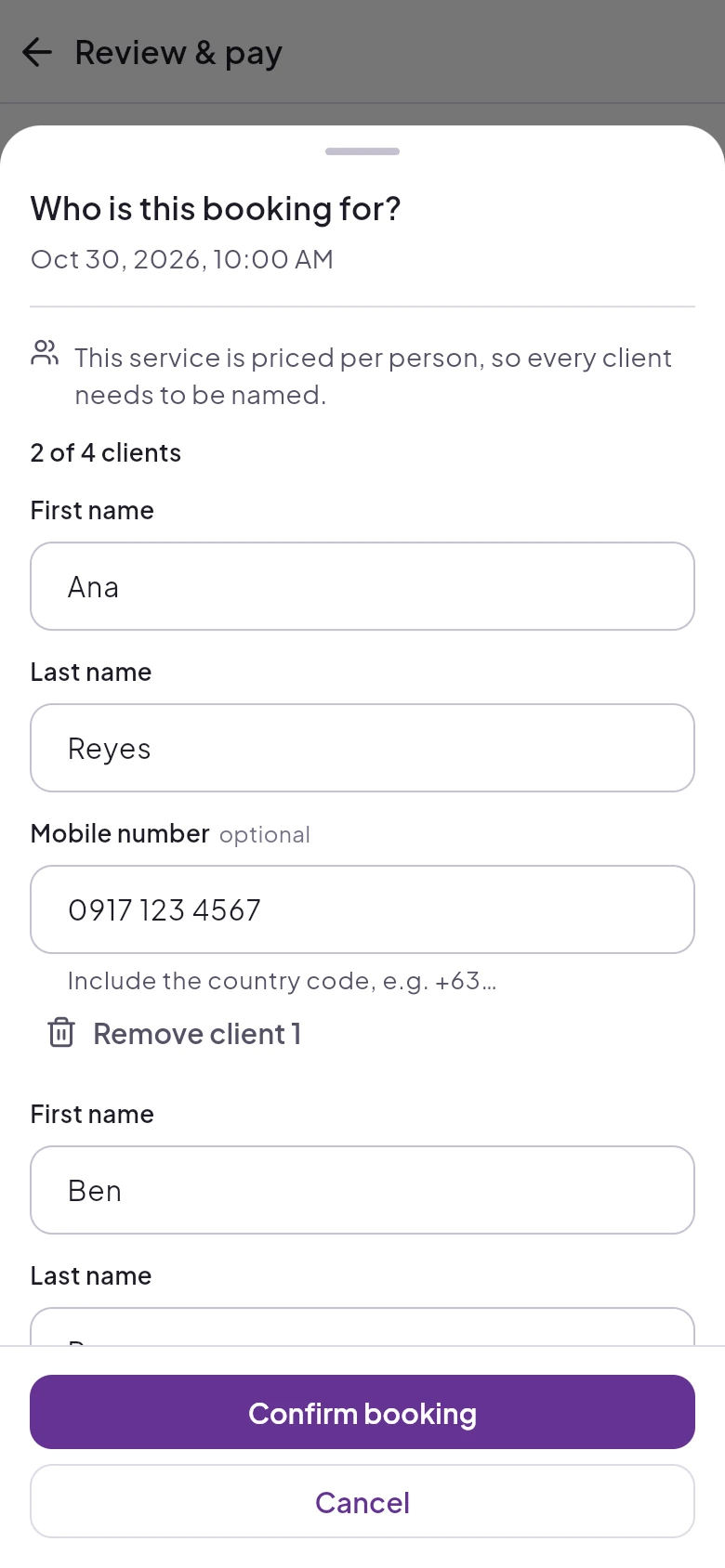
- The sheet “Who is this booking for?” opens. It says how many people the service takes at a time.
- Type each person’s first name and last name. Each name needs 2 to 100 characters.
- A mobile number is optional. If you add one, start with the country code, for example +63.
- To take someone off the list, tap “Remove client 1” (the number matches the row).
- Tap “Confirm booking” to keep the list. Tap “Cancel” to close the sheet without it.
Good to know
- You do not need to list yourself.
- If the service is priced per person, every person needs a name, and you need at least one.
- The business sees these names with your booking.