This article is about the customer app.
When the business asks you to move a booking
The business sent your booking back so you can pick a new time.
Checked against the app on 2026-11-12.
Sometimes the business cannot keep your time. It can send the booking back to you with a reason.
What you see
- Your bookings list shows a note at the top that a booking needs a new time from you.
- The booking has the status “Reschedule needed”.
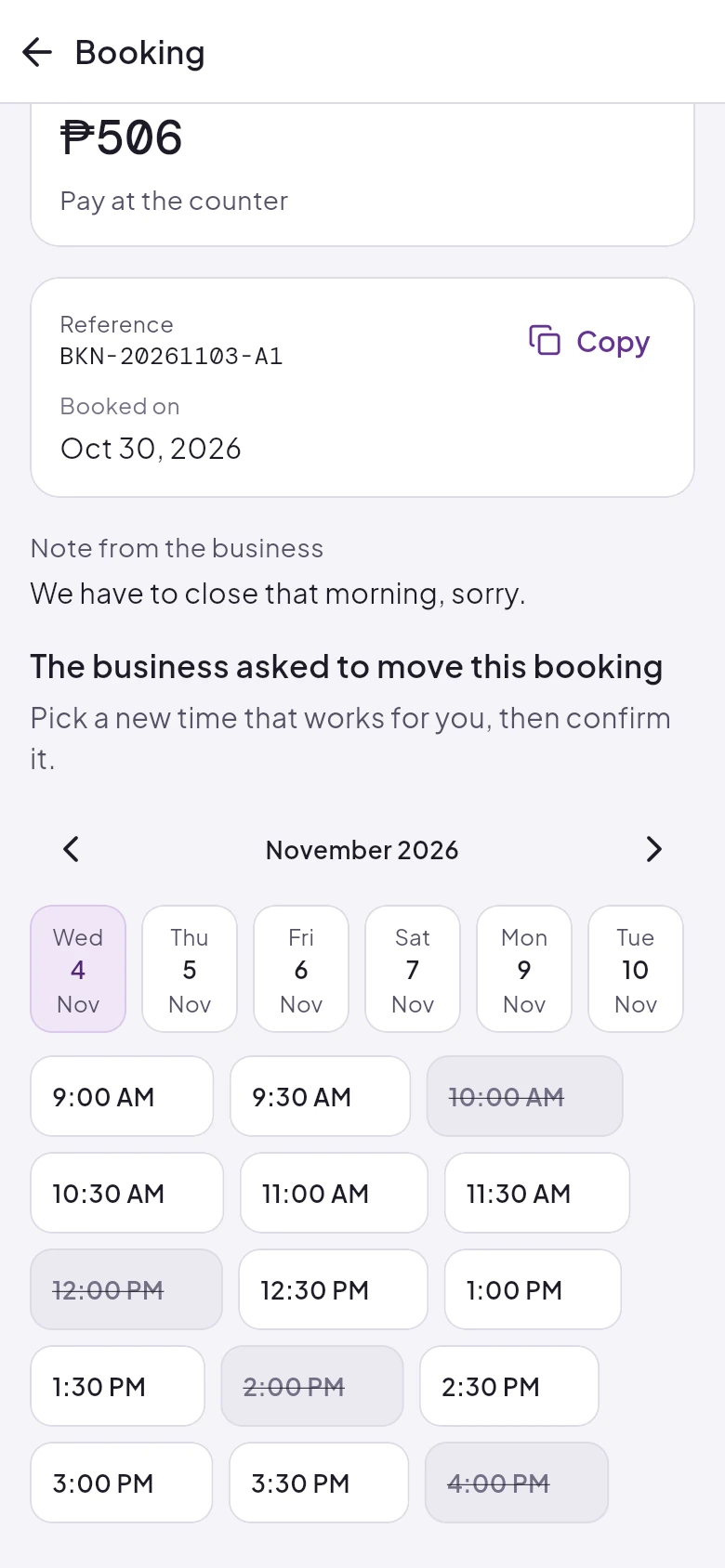
- The booking page shows “The business asked to move this booking” and the reason the business gave.
Steps
- Open the booking.
- Read the reason from the business.
- The page says “Pick a new time that works for you, then confirm it.” Choose a day and a time.
- Tap “Take this time”.
What happens next
Your new time goes back to the business for an answer. It is not confirmed until the business says yes. Watch the status of your booking.