This article is about the customer app.
What happens after you book
The business has to say yes. Here is what you see and what can happen next.
Checked against the app on 2026-11-12.
When you confirm, your booking goes to the business. The business has to say yes.
Steps
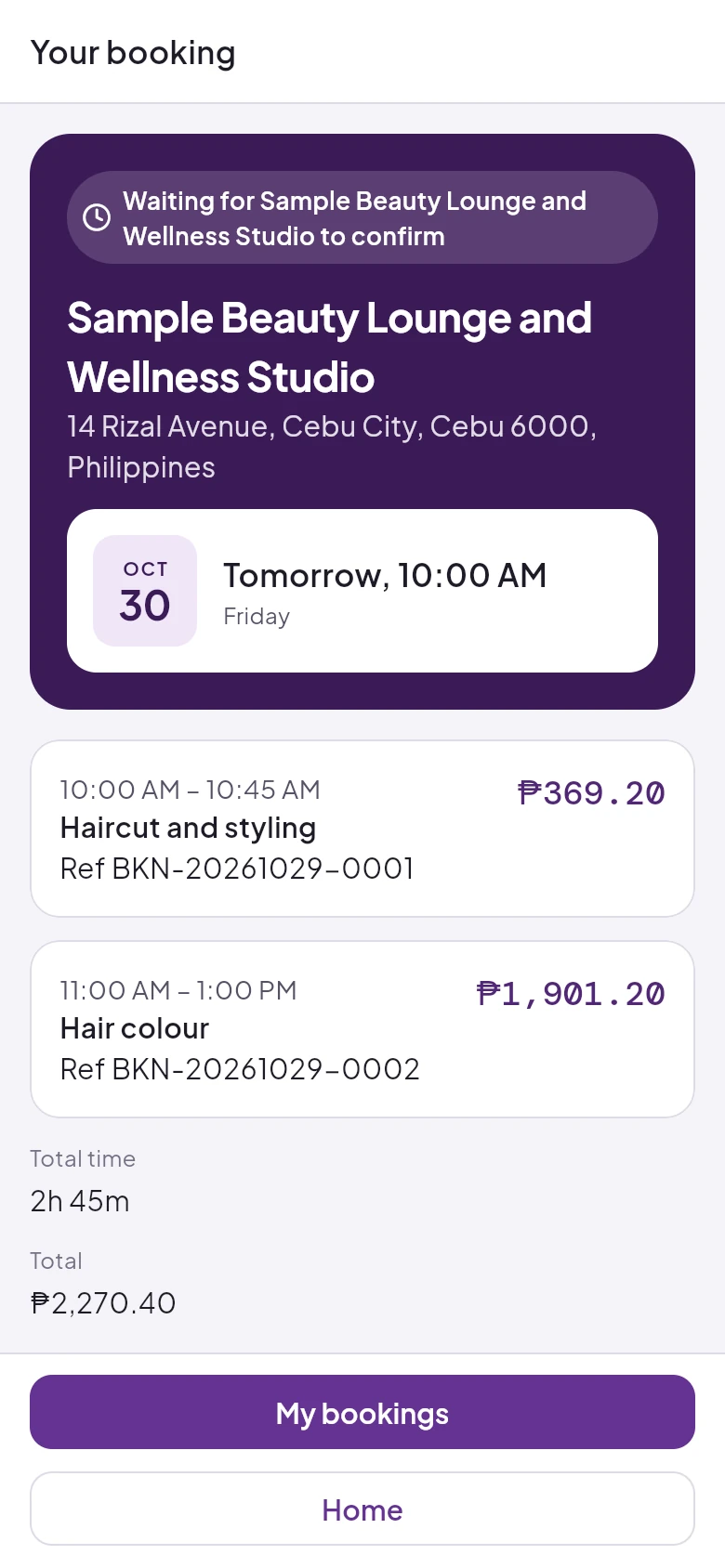
- After you confirm, the app opens “Your booking”. At the top it says that it is waiting for the business to confirm.
- Look at the list of services, the times and the amounts. Each service has its own reference code that starts with BKN.
- Scroll down. The page tells you that you pay the business in person on the day.
- Tap “My bookings” to see the booking in your list, or “Home” to go back.
What can happen next
- The business says yes. The status changes to Approved. You get a message in the app.
- The business says no. The status changes to Declined. If the business typed a reason, you see it as “Note from the business” on the booking.
- The business does not answer. If the start time arrives first, the booking becomes “Business did not respond”. The app tells you it was cancelled.
- The business asks you to move it. See When the business asks you to move a booking.
While you wait, the status is “Waiting for the business”.
Add it to your calendar
An approved booking that has not ended yet can be added to your phone’s calendar from the booking.