This article is about the business app.
Split a day into appointments
Make one availability per appointment in one go.
Checked against the app on 2026-11-12.
Instead of one long window, you can split a working day into short appointments.
Steps
- Open “Availability” and pick the service.
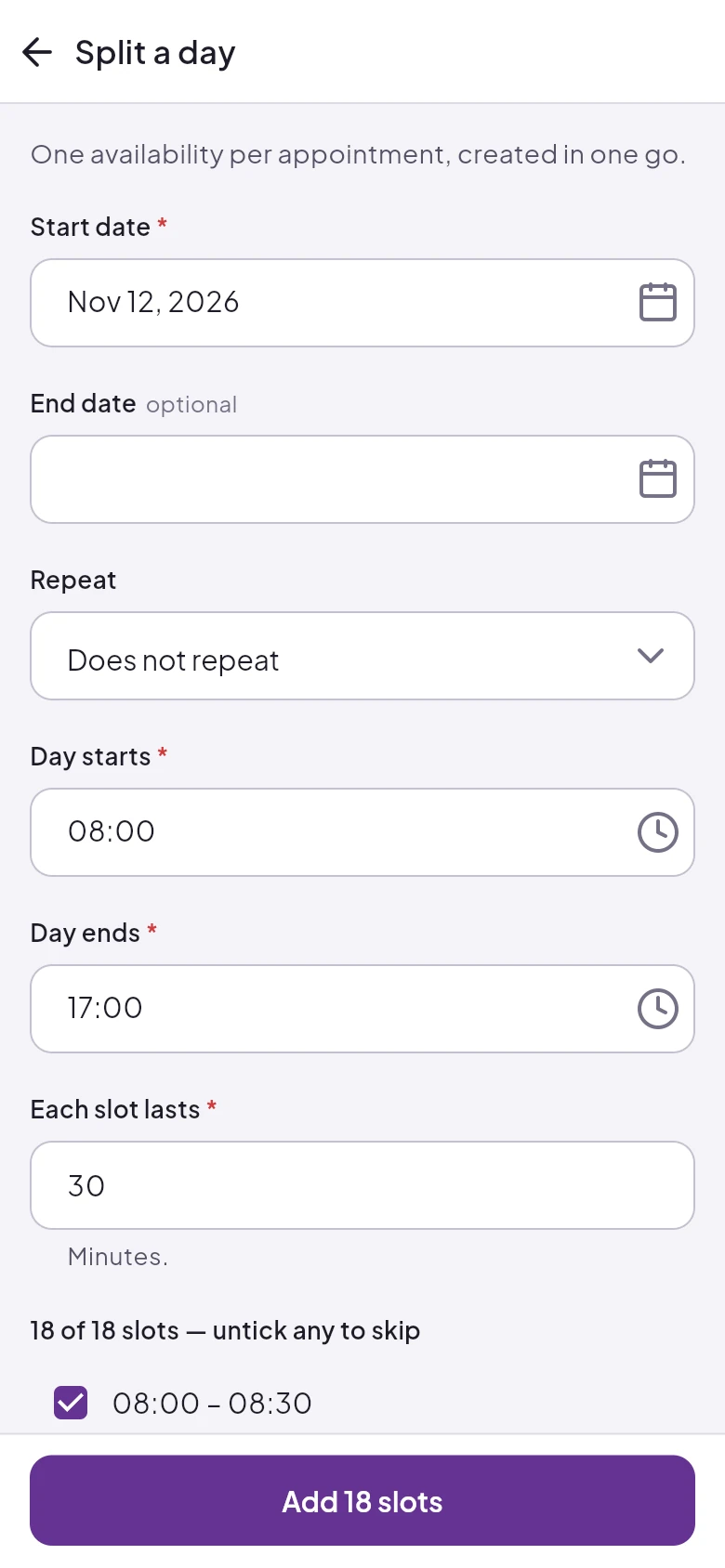
- Tap “Split a day”. The page says “One availability per appointment, created in one go.”
- Pick the date or a range of dates. Choose “Repeat” if you want it to repeat.
- Set when “Day starts” and “Day ends”.
- Set “Each slot lasts”, in minutes.
- The app lists the slots it will make. Untick any slot you want to skip.
- Tap the button that says how many slots it will add.
Good to know
- Slots follow each other, starting at the start of the day. If the last part of the day is too short for a slot, the app says that part is left over. It does not make a short slot.
- If a time is already covered by availability you made before, the app shows it as already covered.
- You need at least one slot ticked to add.