This article is about the business app.
Read your dashboard
The numbers on the Dashboard and what each one counts.
Checked against the app on 2026-11-12.
The “Dashboard” is the first page of the business app. It is a live view. Every number is a real count, not an estimate.
What you see
- Needs your action. The bookings waiting for your answer. Tap “Review requests” to open them.
- Upcoming. Your approved appointments. Tap “See upcoming”.
- Active services. The services in your catalog. Tap “Manage services”.
- Total bookings. Every booking of all time, in any status. Tap “Open bookings”.
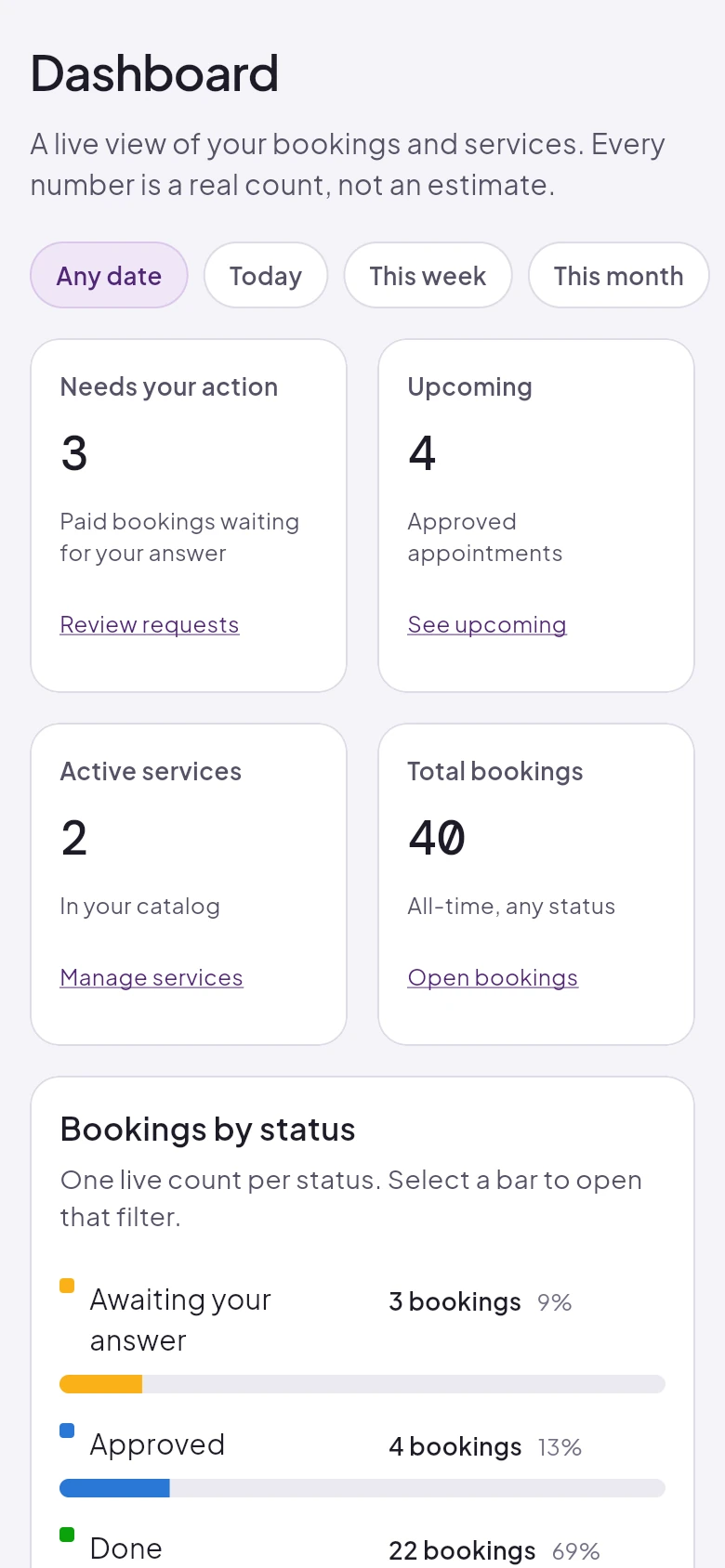
Choose a date
Pick “Any date”, “Today”, “This week” or “This month” to count only that period.
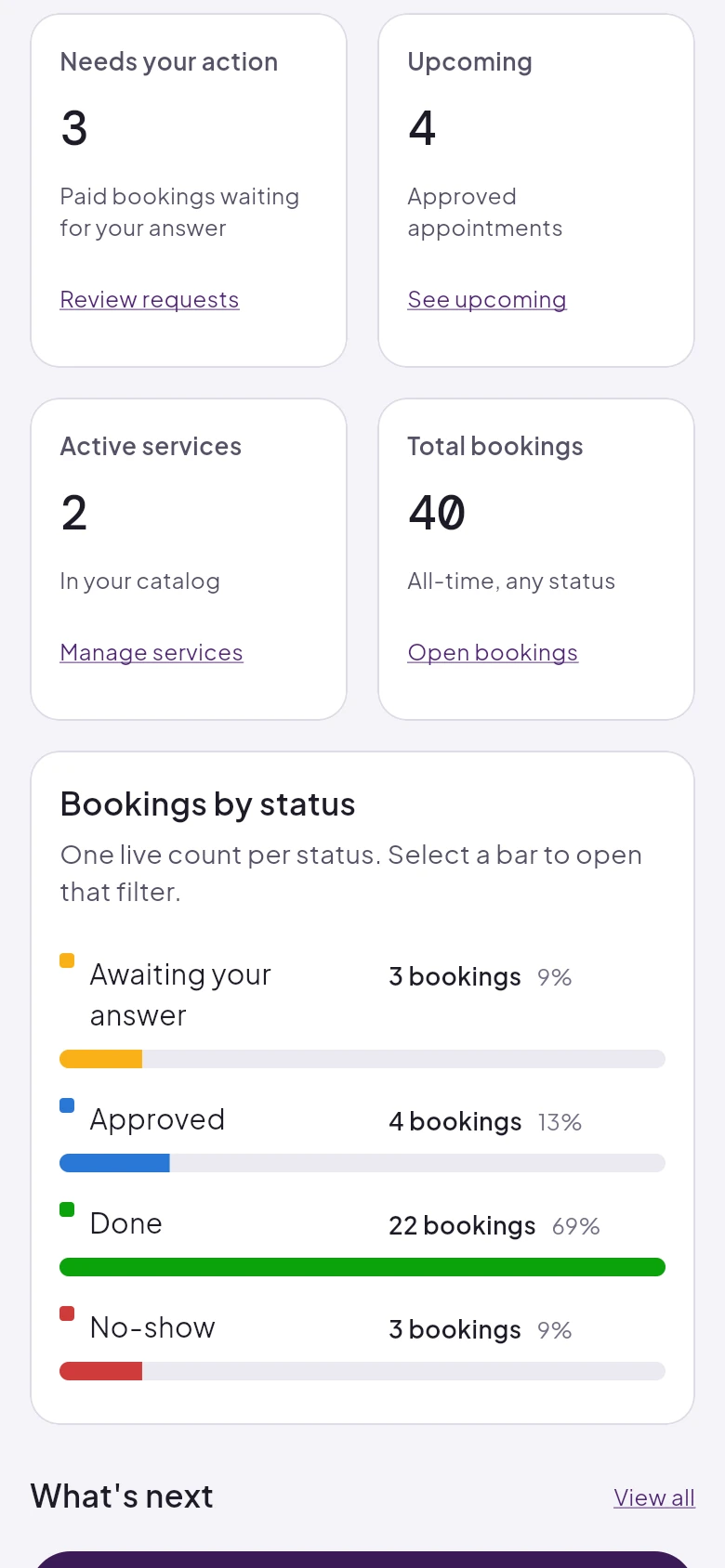
Bookings by status
Further down, the chart “Bookings by status” shows one count for each status. Tap a bar to open that filter in your Bookings list. “View all” opens the whole list.
Good to know
If your business has no active plan, the Dashboard shows a note to choose a plan. See Choose a plan and change it later.