This article is about the business app.
See your sales
What your business earned in a week, a month or any period up to a year.
Checked against the app on 2026-11-12.
The Sales page shows what your business earned. It is for the owner only.
What counts
Earnings are the service price of completed bookings. Booking fees and tax are not included. A sale counts on the day of the appointment.
Steps
- Open Sales & reports from the More menu.
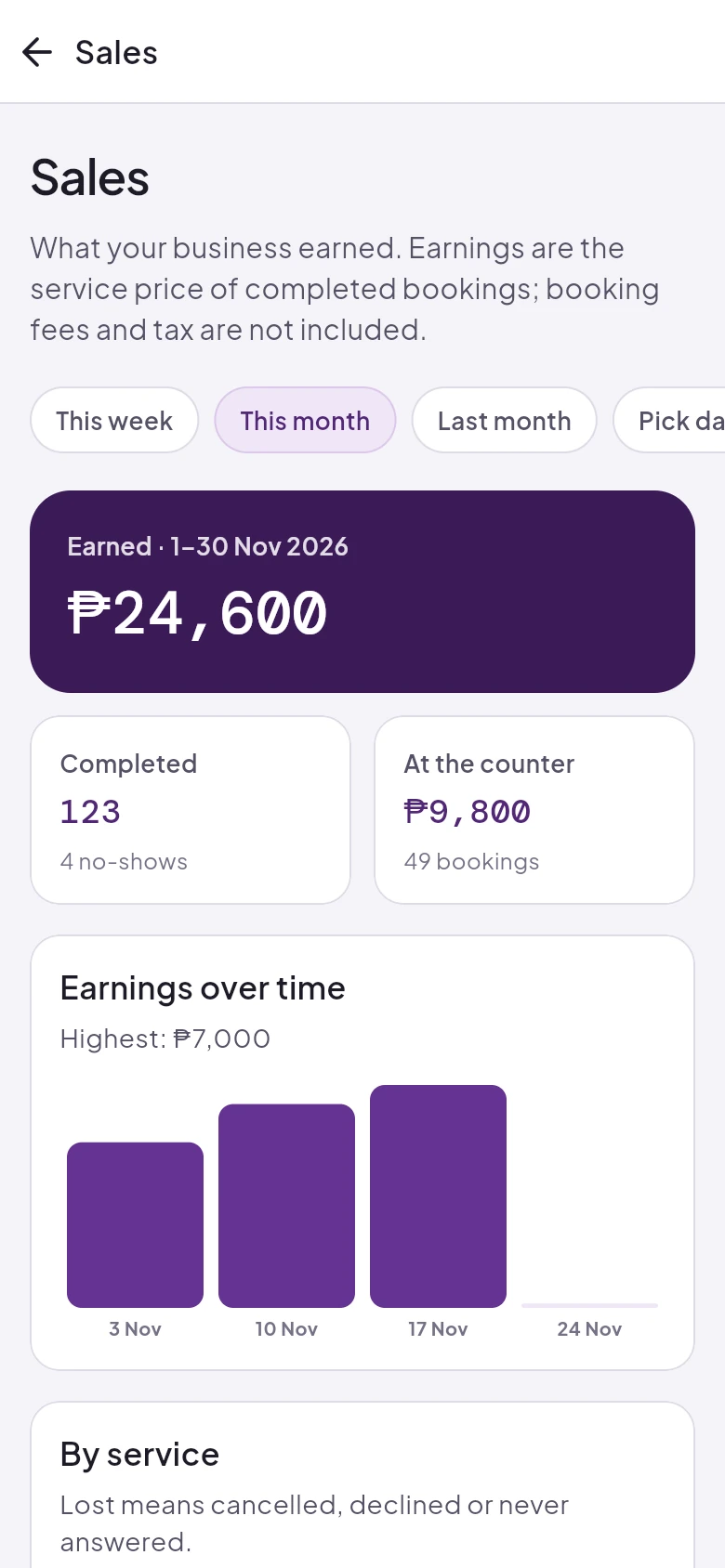
- Pick a period: “This week”, “This month”, “Last month” or “Pick dates”.
- For your own dates, pick a start and an end, then tap “Show sales”. The period can be up to a year.
What you see
- Earned. The total for the period.
- “Completed”. How many completed bookings, and how many no-shows.
- “At the counter”. The money collected in person, and how many bookings that was.
- Earnings over time, and sales for each service.
If there is nothing in the period, the page says there are no sales in this period. A booking only shows up once it is marked done. See Close out a booking.
More detail
Some plans also have a deeper report. See Insights.