This article is about the business app.
Choose a plan and change it later
How the plan step works, how to ask for a different plan, and what the Free plan is.
Checked against the app on 2026-11-12.
A plan decides what your business can do in the app. You choose one in the last setup step.
Choose a plan during setup
- In the last setup step, “Pick a plan”, the app lists the plans you can choose. Each has a name, a description and a price in pesos.
- One plan can be marked “Recommended”.
- Tap “Choose plan” on the one you want.
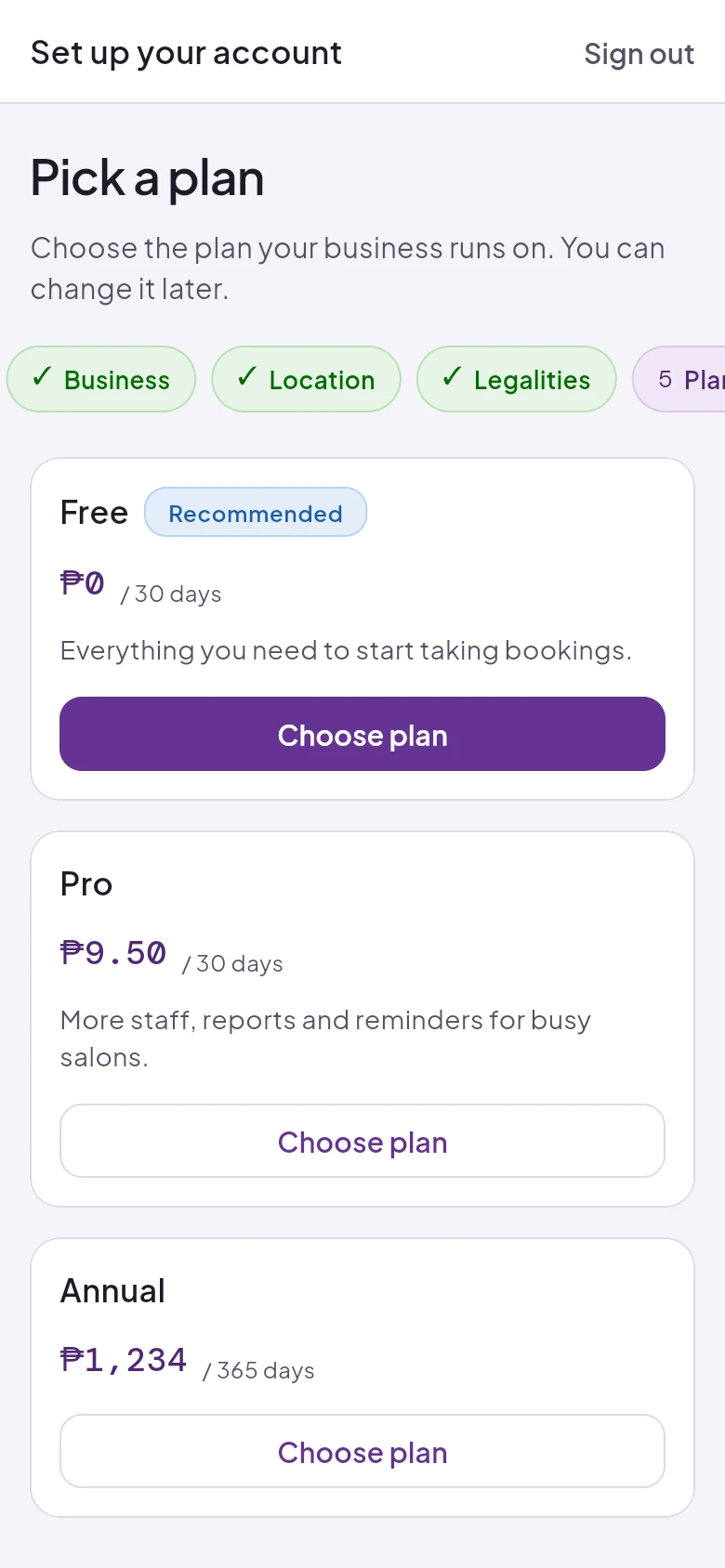
Only the owner can choose a plan. A team member sees “Owner only”.
The Free plan
The system creates a plan called Free. A plan is free when its price is zero. A free plan has no end date. A paid plan ends after its number of days.
What a plan allows is set by BOOKniNAM and can change. See Your subscription and limits to see your real limits.
Change your plan later
- Open Subscription from the More menu.
- Tap “Change plan” and pick a plan.
- The app gives you an amount and a “Reference code”. Pay outside the app, and write this code in the payment note so BOOKniNAM can find your payment.
- The request shows “Waiting for your payment”. You can tap “Cancel request” if you change your mind.
- Your current plan keeps working. BOOKniNAM switches the new plan on once it sees your payment, and tells you.